


logo
EverydayChaos
Everyday Chaos
Too Big to Know
Too Big to Know
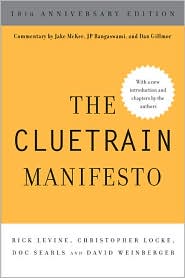
Cluetrain 10th Anniversary edition
Cluetrain 10th Anniversary
Everything Is Miscellaneous
Small Pieces cover
Small Pieces Loosely Joined
Cluetrain cover
Cluetrain Manifesto
My face
Speaker info
Who am I? (Blog Disclosure Form) Copy this link as RSS address Atom Feed

June 9, 2008

Beginner to Beginner: Attaching a Yamaha keyboard to a Macbook (midi)

Yikes. I finally got my Yamaha keyboard (PSR-270) attached to my MacBook so I can play and have Finale transcribe notes. I felt like I was back in WindowsLand.

First, you obviously need the cables. You can get some pretty cheap that go from the back of your keyboard to a USB input on your computer.

But, it turns out you also need a Yamaha driver. Yes, even for a Mac. You can get one here. To install it, just double click on the installation package.

Then you have to run Audio Midi Setup, a file you’ll find in your Utilities folder inside of Applications. (Or just use Quicksilver. Don’t tell me you’re not using Quicksilver! :) Even though it’s got big, attractive icons, it’s a pile of gobbledygook. You should see your keyboard in iconic form and should be able to drag the out arrow to the in arrow of the appropriate awaiting icon, drawing a visible line between the two, but, frankly, I don’t understand the whole thing.

I just know that it eventually worked. [Tags: midi tech_help yamaha ]

Tweet
Follow me

Categories: Uncategorized Tagged with: mac • midi • tech • yamaha Date: June 9th, 2008 dw

1 Comment »

May 10, 2008

Beginner to Beginner: rsync exclude-from

Oh, I am so about to make a fool of myself in public…

I now have a D-Link DNS-323 plugged into my home network. It’s a network storage device that I want to use as a centralized backup for my family’s various computers because some of us don’t always plug our Macs into our USB external hard drive to let the Mac Time Machine work its backup magic. Unfortunately, the hack I found on the Net to get Time Machine to recognize the DNS-323 doesn’t work for me: Time Machine lets me say I want the backup to be housed on the DNS-323, but the software craps out when it actually tries to back up to it. If there’s an easy way around that, I’d love to hear about it.

In the interim, I’ve been playing with rsync, a command-line utility included in Leopard that does backups. I’ve had no luck with rsyncX, which is a Mac specific version, but rsync is working. It took some doing to get it running on the DNS-323, including installing fun plug (the DNS-323 is a linux box) and writing a config file that specifies which machines rsync recognizes. My Linux hacker nephew Greg did that part of it for me. (Thanks, Greg.)

There’s a script that enables rsync to mimic Time Machine. It’s been working pretty well — my hourly backups go far slower than they should, so I’m undoubtedly doing something wrong — but I had a heck of a time telling it which directories I want it to back up. You gain control over the backup set by specifying a file of inclusions and exclusions. You do this in the rsync command line by saying “–exclude-from filename” where you replace “filename” with the name of the file that has the list.

After a bunch of Internet research and way too much trial and error, I now have a list that does what I want, although I’m sure it’s laughably kludgy, and possibly fatally wrong. Nevertheless, here’s how I think it works…

The file can list both includes and excludes. You indicate which is which by prefacing each item with a + or a -. The list assumes that the root directory is whichever one you specified in the rsync command line. So, if your command line said that you want to back up “/Users/me/”, then you would tell it to exclude “/Users/me/junk” by putting the following line in your exclude-from file:

– junk/

Likewise, to include /Users/me/importantstuff/ you’d put in the line:

+ importantstuff/

But, at least in my experiments, that line will not include any subdirectories of importantstuff. After failing to understand the instructions I found on the Net, and after a lot of trial and error, I’ve found that it works if I also include the line:

+ importantstuff/**

The double stars tell it to backup all the subdirectories and all their subdirectories, ad infinitum. I’ve found I have to put in both the line without the stars and then the line with the stars. You’d think the line with the stars would be enough, but in my tries and my errors, it wasn’t.

The list of inclusions and exclusions is sensitive to the order of the list. If you have particular subdirectories you want to exclude (e.g., importantstuff/junk/), put them first:

– importantstuff/junk/**

If you want rsync to backup only designated directories, list your excludes first, then your includes, and end with

– *

which tells it to exclude anything you didn’t already tell it to include. I have the feeling that that may be an ugly hack with unintended consequences. Remember, I don’t know what I’m doing.

So, my exclude-from file looks roughly like this:

– *Azureus*/
– *Azureus*/**
– Documents/TiVo*
– Documents/Aptana*
+ Sites/
+ Sites/**
+ Pictures/
+ Pictures/**
+ Music/
+ Music/**
+ Documents
+ Documents/**
– *

Two important notes: 1. The -n parameter on the command line will run rsync in “what if” mode, showing you what it would do without actually doing it. 2. As I’ve likely made some embarrassing and awful mistakes, please read the comments in hopes that some knowledgeable and kind soul will correct me. [Tags: rsync exclude-from dangerously_wrong ]

Tweet
Follow me

Categories: Uncategorized Tagged with: exclude-from • rsync • tech Date: May 10th, 2008 dw

17 Comments »

May 6, 2008

Keynote 08 to Powerpoint 08

The latest version of Keynote exports files in Powerpoint format that the latest version of Popwerpoint can’t read. Charming.

A discussion board pointed out, however, that if you strip out all the presenter notes from your Keynote file, the exported Keynote file will indeed open in Powerpoint. I tried it on one small file, and it worked.

Unfortunately, there’s no easy way to strip out all those notes. And I haven’t seen anything from Keynote about an update.

[Tags: keynote powerpoint ]

Tweet
Follow me

Categories: Uncategorized Tagged with: keynote • powerpoint • tech • whines Date: May 6th, 2008 dw

5 Comments »

April 30, 2008

Mac issue: Where’d my network go?

My new new Mac (a white one) is well, except Finder doesn’t see my family network. To be more exact, there’s no “Network” icon listed in the sidebar of Finder. If I go to Finder’s prefs and toggle “connected servers” or “bonjour computers” on and off, there’s no change. But, if I go to Connect to Server and tell it to connect to smb://192.168.0.134, which happens to be the static IP of a network storage device, it finds it fine, and shows it to me in the Finder. It likewise finds smb://honkervista, which is my big, Vista-crippled machine.

I’ve tried making random alterations in the system config network panel, since that traditionally has forced empty network panes to fill up properly. Not in this case.

Should I really have to be mounting these machines by hand?? TIA…

[Tags: mac os_x network_configuration ]

Tweet
Follow me

Categories: Uncategorized Tagged with: mac • network_configuration • os_x • tech • whines Date: April 30th, 2008 dw

8 Comments »

April 21, 2008

What happened in Norway

Steve Pepper has started a blog, and one of his first posts explains — from his insider’s vantage point — how Standard Norway managed to approve OOXML as an ISO standard despite the overwhelming disapproval expressed by the committee members. It is not a pretty story.

The following post on Steve’s blog is about prostitution in Norway, starting with a conversation he had with a woman called Jenny. So, Steve’s blog is off to an appropriately eclectic start! [Tags: steve_pepper iso ooxml standards norway ]

Tweet
Follow me

Categories: Uncategorized Tagged with: digital rights • iso • net neutrality • norway • ooxml • standards • tech Date: April 21st, 2008 dw

2 Comments »

P2P search

YaCy is a peer-to-peer, open source Web search engine. You can use it to create a search portal, but the officially Very Cool thing about it is that you can peer it up with other Yacy installations, creating a distributed, p2p search engine.

[Tags: search p2p open_source everything_is_miscellaneous ]

Tweet
Follow me

Categories: Uncategorized Tagged with: everythingIsMiscellaneous • everything_is_miscellaneous • open_source • p2p • search • tech Date: April 21st, 2008 dw

1 Comment »

April 10, 2008

Norwegians take to the street to protest ISO standard

Here are photos of an actual IT protest demonstration in Norway. How often do you see that? (Answer: This is the second IT protest demonstration in Norway’s history.)

Steve Pepper, Chairman of the Norwegian ISO committee since 1995, gave a speech that explains why standard document formats are important and why the adoption of Microsoft’s specification — OOXML — as an ISO standard was a bad mistake. There’s also bloggage here, which links to a podcast I have not yet listened to.

Steve has stepped down as chair of the Standard Norway committee in protest of the overall committee’s process. Steve told me about what happened when we had dinner in Oslo last week. It sounds pretty gruesome.

Says Steve, 80% of the committee was apparently against changing Norway’s vote from No to Yes, but that wasn’t close enough to consensus, so everyone had to leave the room except for three administrators and four technical experts, the latter conveniently chosen to get the balance down to 50-50. When there still wasn’t consensus (surprise, surprise), the experts were dismissed and the Vice President of Standard Norway just decided the way he wanted.

Steve believes the 8,000 page spec (!) should not have been “fast-tracked,” and that ISO voted in favor of the Microsoft spec in part because it didn’t want to leave it in the hands of Ecma (a semi-competing standards body). Yet, OOXML is pretty much nothing but Word’s document model with a whole bunch of angle brackets added…overly complex and too tied to Word’s peculiar capabilities. Meanwhile, we have a truly open and well-worked out document standard in ODF. (Get yer copy of Open Office here — it’s free and it works real good.)

This matters a lot, for two basic reasons. First, the world runs on documents so we want to be able to interchange them without even having to think about which application made them. Having two standards vitiates much of the point of having a standard. Second, OOXML is so tied to Word that having it be an official ISO standard gives one vendor (guess which) a market advantage that truly open standards should take away: You should be able to pick the word processor you want based on its features and feel, without having to worry if using it will lock your documents out of the worldwide market of ideas and information.

Steve tells me that the battle to reverse the Norwegian decision is continuing, and he urges that irregularities in other countries be similarly investigated. [Tags: ooxml steve_pepper norway iso ecma microsoft standards]

Tweet
Follow me

Categories: Uncategorized Tagged with: digital rights • metadata • tech Date: April 10th, 2008 dw

2 Comments »

April 1, 2008

Thoughtcloud scrapes neurons

The Media Re:Public group at Berkmanhas announced a breakthrough technology that promises to take the “conference” out of “un-conference.”

Tweet
Follow me

Categories: blogs Tagged with: blogs • business • conference coverage • culture • digital culture • digital rights • folksonomy • humor • science • social networks • taxonomy • tech • uncat • web 2.0 • wifi Date: April 1st, 2008 dw

Be the first to comment »

March 29, 2008

Third motherboard, same crashes

For those who are keeping track (= me), the new new motherboard on my MacBook has not prevented the same old problems from recurring. I still am getting random app crashes, most well-behaved by an occasional crash to blue. (Actually, only Keynote crashes to blue.)

I’m feeling pretty certain that we’ve eliminated the mobo as the source of the problem. Since these same problems have occurred in two separate operating systems, including through a clean install of the second one, I don’t think it’s an OS thing. Since they’ve persisted through the creation of a clean user account, I don’t think it’s a software thing. Because the RAM has passed repeated testing by me and by the service professionals, I don’t think it’s a RAM problem.

I am therefore taking it personally.

[Tags: macbook apple ]

Tweet
Follow me

Categories: Uncategorized Tagged with: apple • macbook • tech • whines Date: March 29th, 2008 dw

6 Comments »

March 2, 2008

Crowd-sourced debugging

If anyone would like to help me figure out why my MacBook crashes seemingly randomly, here are some crash reports: 1 2 3 4 5 6 7 8 9.

My MacBook is 9 months old. Apps were crashing under Panther. I did a total clean reinstall of Leopard. It seemed to be ok for a couple of weeks, and then the apps began crashing again. I took it in to a highly recommended local Apple shop. They kept it for a week, ran thorough diagnostics, replicated some of the crashes, and replaced the motherboard. Again, for a couple of weeks it seemed to work. Now things crash intermittently but fairly frequently. Usually, the crashes only crash the app, but Keynote has crashed all the way back to a cold boot a couple of times; I don’t have crash reports for the cold boots.

Help? Any ideas?[Tags: mac os_x tech ]

Tweet
Follow me

Categories: Uncategorized Tagged with: mac • os_x • tech • uncat Date: March 2nd, 2008 dw

12 Comments »

« Previous Page | Next Page »


Creative Commons License
This work is licensed under a Creative Commons Attribution-NonCommercial-ShareAlike 3.0 Unported License.
TL;DR: Share this post freely, but attribute it to me (name (David Weinberger) and link to it), and don't use it commercially without my permission.

Joho the Blog uses WordPress blogging software.
Thank you, WordPress!