


logo
EverydayChaos
Everyday Chaos
Too Big to Know
Too Big to Know
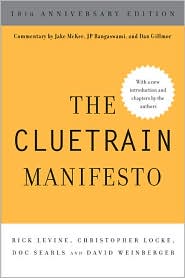
Cluetrain 10th Anniversary edition
Cluetrain 10th Anniversary
Everything Is Miscellaneous
Small Pieces cover
Small Pieces Loosely Joined
Cluetrain cover
Cluetrain Manifesto
My face
Speaker info
Who am I? (Blog Disclosure Form) Copy this link as RSS address Atom Feed

February 29, 2008

Crash reports – The new intimacy?

My MacBook continues to crash, even after the complete reinstall and upgrade to Leopard and even after a local geek shop put in a new motherboard. I’ve been collecting some of the crash reports the Mac generates and would like to crowd-source them to see if anyone can figure what the @!#$%! is wrong. Would I be violating my own privacy by doing so?

Tweet
Follow me

Categories: Uncategorized Tagged with: tech Date: February 29th, 2008 dw

5 Comments »

February 18, 2008

Standards vs. Practices

Brian Kelly worries that the W3C is making itself obsolete, and writes well of the perpetual (?) battle between perfect standards focused on close-bracketed compliance and sloppy practices focused on getting things done. (This is related to the article in my newsletter about HTML5.)

Along the way he cites Molly Holzschlag, who writes: “It’s not the specs that define Web Standards. We are talking about best practices.”

The contention between standards and best practices so far has been quite fruitful. Fortunately, it’s unlikely to end any time soon. [Thanks to Seb Schmoller for the link.] [Tags: html5 brian_kelly molly_holtzschlag ]

Tweet
Follow me

Categories: Uncategorized Tagged with: html5 • tech Date: February 18th, 2008 dw

1 Comment »

January 31, 2008

Free Public Wifi explained

David Pogue points to a TechBlog post that explains why we keep seeing “Free Public Wifi” listed on available wifi networks. No, it’s not a fraud. No, it’s not a hoax. Yes, it is maybe the stupidest Windows thing ever. As TechBlog says, it’s viral without being a virus. Or, maybe it’s a virus that is all symptom.

In any case, I’m glad to have this clarified at last.

[Tags: wifi free_public_wifi ]

Tweet
Follow me

Categories: Uncategorized Tagged with: free_public_wifi • tech • wifi Date: January 31st, 2008 dw

6 Comments »

January 25, 2008

Beginner-to-Beginner: Installing Vista’s Web server and PHP

Vista has an integrated Web server, but it’s off by default. If you want to use your machine as a Web server (I do because I use some javascripts that write to my hard drive and thus need to believe that my hard drive is the Web server they’re running on, and if this is stupid or incredibly insecure please don’t tell me because I think I’ll cry), you have to jump through some hoops.

Unfortunately, they’re invisible hoops. Fortunately, over a year ago, Blondr, in his very first post, explained how to do it, with words and screen captures. Incredibly helpful. And along the way, he even explains how to find the !@#$%-ing Web server control panel: Go to Run and type “InetMgr.exe.”

Once you have it running, pages are served up by default from C:\inetpub\wwwroot. I think. It looks like once you’re in the Web server manager (the IIS Manager), the left-hand panel lets you add sites and specify where those sites live on your hard drive, but I haven’t tried that yet.

Anyway, thanks Blondr! [Tags: tech vista web_server blondr]

Tweet
Follow me

Categories: Uncategorized Tagged with:   • tech Date: January 25th, 2008 dw

6 Comments »

January 19, 2008

SpeedDial for Firefox

The SpeedDial add-on for Firefox brings the useful Opera thingy to FF. Its a page of thumbnails of pages you want to get to quickly. Ah, add-ons What cant they do? Thanks to Ev for the tweet.

Tags: addons firefox opera speeddial

Tweet
Follow me

Categories: Uncategorized Tagged with: addons • firefox • opera • speeddial • tech Date: January 19th, 2008 dw

8 Comments »

January 16, 2008

Losing my urge for Air

When I first heard that Apple had introduced a 3-lbs Mac, technolust heated my blood. But from my very first poking-arounds about it, my tremors of desire have quieted.

On the basis of preliminary reports, it sounds like Apple threw everything overboard in order to achieve a single design ukase: Thou shalt be the thinnest! No CD/DVD player, yet another freakish video out, no ethernet port, a battery that requires a trip to the factory to be replaced (and given that my MacBook battery is failing rapidly after 8 months…), a single USB port, no firewire port, no good way to plug in an external drive (assuming you have a mouse plugged into your USB port), no mic input, yet another unique power supply. Dongle city! And the Mac Air ain’t cheap.

Thinness is an aesthetic criterion, not a utilitarian one. Art triumphs over usefulness yet again, driven by Steve “One Button” Jobs.

Good. I can enjoy my MacBook unruffled by envy. Well, at least not much envy.

[Tags: apple mac macintosh_air mac_air macbook technolust ]

Tweet
Follow me

Categories: Uncategorized Tagged with: apple • mac • macbook • macintosh_air • mac_air • tech • technolust Date: January 16th, 2008 dw

17 Comments »

January 2, 2008

Beginnger-to-Beginner: Enabling php in Leopard

You want to see some nice tech writing? James Pelow at PHPmac explains how to enable the Leopard apache server to use php. It’s written so clearly, even I could follow the instructions! (Because he wrote this in 2005, you’ll want to change the references to php4 to php5.)

[Tags: php leopard os_x tech_help good_writing ]

Tweet
Follow me

Categories: Uncategorized Tagged with: good_writing • leopard • mac • os_x • php • tech • tech_help Date: January 2nd, 2008 dw

3 Comments »

January 1, 2008

Beginner-to-Beginner: FTP via curl

Cyberduck works well for most of my FTP’ing needs. But sometimes I want to be able to automate an upload or a download without having to go through a graphical user interface. The Mac comes with a handy tool called curl. Unfortunately, I’ve had trouble finding instructions comprehensible to one such as I. (Here’s man page for curl. Of course, you can also see the man page by typing man curl into a terminal window. As usual, the man page is efficient to the point of being terrifying.) So, here’s a beginner-to-beginner guide. As always, use this carefully because I don’t know what I’m talking about.

To begin, open up a terminal window. Type curl -V into it and hit return just to make sure that curl is there. If it is, it should tell you what version of curl you’re running.

Excellent!


If you want to upload a file called test.txt to the mydir directory on your myserver server, and if your username is uname and your password is pwd, then you’d type the following into your terminal:

curl -v -T test.txt ftp://uname:pwd@myserver/mydir/

The -v turns on verbose mode so you can see all the errors I’ve made in these instructions. Once it works, you can replace the -v with -s to silence the messages.

If you want to download a file, use -O instead of -T.

If you want to do this by double clicking on a file in the Finder, you have to go through a few more steps.

First, type into a text editor the same line that you were typing into the terminal, except make sure that you give the full pathname of the file you want to upload. Save the file with .command as the extension (e.g., autoftp.command). In the terminal go the directory where you’ve saved the file and type chmod a+x autoftp.command. This makes the file executable (runnable). Now double clicking it in the Finder should run it.

There’s lots more you can do with curl. If you figure out how to do it let me know. And, of course, I’ll happily correct this post with the corrections you point out in the comments… [Tags: curl mac]

Tweet
Follow me

Categories: Uncategorized Tagged with: curl • mac • tech Date: January 1st, 2008 dw

11 Comments »

December 29, 2007

Scrape the Mac down to the metal? (A litany of whines, with a backbeat of love)

Jeez my MacBook is hinky. Basically, nothing works reliably on it. I thought Leopard would fix the problems, and it has brought a little more stablility, but I can’t count on using any app without it vanishing in a puff of kernel errors. My RAM tests ok, the CPU temperature is reasonable, my permissions are good, and I’m working out of a new, clean user account. Even so, I can no longer get advanced apps like Parallels or VMWare to work, and even good ol’ Quicksilver (oh, how I love it) seems to be cross-linked with other apps, sometimes popping up when I open them. The problems do not seem to be app-specific, since even little programs will end randomly. Usually, it’s just an annoyance, but since products like Keynote are too proud to do autosaves every few minutes (on Windows, I have Powerpoint set to autosave every 4 mins), the random puff of disappearance has at times cost me work. Not to mention that in the upgrade to Leopard, GarageBand, iMovie, iPhoto and iTheRest have vanished off my hard drive. Yokes.

So, I think I’m going to back everything up yet again – I am a man of many backups, although none seem to work when I need them – and take it back down to the bare metal: reformat, reinstall, re-hope.

Even so, and I want to be clear about this, I love my MacBook with an ardor that none of the many Windows machines I’ve had has ever inspired, including the big, honking box on which I am now running Vista. Vista is crashing left and right on me in ways that a new operating system with very few programs installed (and most of them Microsoft programs at that) ought not. Plus, everything about Vista requires thought. After all these years, I’m pretty good at Windows, but I don’t want to have to think about it any more. And if I were new to computers, I think I’d find Vista incomprehensible. It’s become Unix-like, which is ironic given that Ubuntu is making Unix/Linux easier every day.

So, I think I’m going to rebuild my Mac from the ground up. Consider it an act of love. [Tags: mac vista ]

Tweet
Follow me

Categories: Uncategorized Tagged with: tech • whines Date: December 29th, 2007 dw

5 Comments »

December 27, 2007

Beginner to Beginner: Getting Nvu to work for a second Mac user

I’ve been having trouble getting Nvu — an open source HTML editor — working for the second user on my Mac (Leopard). It works fine for user #1, but for user #2, it refuses to launch unless I become root in the terminal and launch it from there. After a lot of messing around with permissions and multiple re-installs, I found that while there is no Nvu folder in “/Users/user2/Library/Application Support,” there is in “/Users/user1/Library/Application Support.” Renaming that folder didn’t have any effect. So, finally I copied the Nvu file from “/Users/user1/Library/Application Support” to “/Users/user2/Library/Application Support”. Now when launched from within user2’s desktop, Nvu asks if you want to create a new profile. I said yes and it seems to work.


And here’s an important note: I don’t know what I’m doing. This “tip” may prove fatal. I am especially puzzled by the fact that changing the name of the Nvu folder for user1 didn’t seem to make a difference. I also don’t know why when user2 launched Nvu, it was checking user1’s environment. In short: I’m flying blind here, and my tip” may be the tip of a sharp stick with which you poke yourself in the eye. [Tags: nvu os_x ]

Tweet
Follow me

Categories: Uncategorized Tagged with: tech Date: December 27th, 2007 dw

5 Comments »

« Previous Page | Next Page »


Creative Commons License
This work is licensed under a Creative Commons Attribution-NonCommercial-ShareAlike 3.0 Unported License.
TL;DR: Share this post freely, but attribute it to me (name (David Weinberger) and link to it), and don't use it commercially without my permission.

Joho the Blog uses WordPress blogging software.
Thank you, WordPress!