


logo
EverydayChaos
Everyday Chaos
Too Big to Know
Too Big to Know
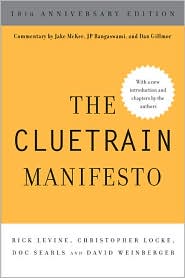
Cluetrain 10th Anniversary edition
Cluetrain 10th Anniversary
Everything Is Miscellaneous
Small Pieces cover
Small Pieces Loosely Joined
Cluetrain cover
Cluetrain Manifesto
My face
Speaker info
Who am I? (Blog Disclosure Form) Copy this link as RSS address Atom Feed

October 5, 2006

Krugle or Google?

Google Labs has just posted a site for searching public source code, which seems to compete with Krugle.com. I’m not in a position to evaluate the two, but (he said, evaluating them anyway) Krugle seems to have a richer set of services. In any case, here’s what Krugle users have to say about it. And, of course, it’s totally cool that the Krugle site is blogging about this. I love the way the Web encourages this type of human-ness. [Tags: krugle google]

Tweet
Follow me

Categories: Uncategorized Tagged with: tech Date: October 5th, 2006 dw

1 Comment »

September 28, 2006

Request for feature: Screen bottom marker

When I’m reading something online that takes more than a screen, I find that I highlight a line near the bottom before I scroll so I can orient myself quickly on the new screen. Therefore, it might be useful if my software did that for me automatically. I can imagine (but, alas, cannot write) a Firefox extension that highlights the bottom line of the main frame (well, ok, so we’ve hit a snag here) whenever a page is scrolled.

Just thinking out loud… [Tags: firefox ereading wishlist]

Tweet
Follow me

Categories: Uncategorized Tagged with: tech • whines Date: September 28th, 2006 dw

2 Comments »

September 13, 2006

Ubuntu – Great when it works, bad when it doesn’t

Last night I semi-succeeded in installing (or perhaps I succeeded in semi-installing) Ubuntu 6.06.1 onto my wife’s computer.

I played around with the Ubuntu KDE user interface and included software. It’s a really spiffy combination of the best of the Mac and Windows. Superficially — I only spent a couple of hours with it — the Ubuntu UI is appealing, engaging, productive and fun.

But: Ubuntu is not yet ready to compete with the Mac and Windows for the gazillion of desktops out there. Close, but close in the way that taking a 3 meter leap across a 3.2 meter gap is close. Too bad, because I really want it to succeed.

The night before, the installation process froze as Ubuntu tried to install hardware drivers. The problem turned out to be that my wifi card uses the RTL8185 chipset, which the installation disk doesn’t support. That’s fine. Ubuntu will support it at some point or I could get another card. (In fact, I had a spare Linksys card on hand.) What’s not fine is that the installation hung without telling me why or what to do about it.

Once I (randomly) took the wifi card out and Ubuntu successfully installed itself—six questions and you’re done—I had three problems, none of which I would expect to have with Windows or the Mac: I couldn’t get it to enable the Linksys card I’d installed, I couldn’t get it to mount the system’s second hard drive (although it showed up in the list of drives), and I couldn’t get the motherboard’s sound system to work.

These are not insuperable problems. But they’re stoppers. And Ubuntu throws me straight into the bony arms of Linux to solve them. For example, it tells me that I can’t mount the second hard drive because it’s not listed in /etc/fstab. I shouldn’t have to know how to edit fstab to get my hard drive working. On the other hand, it gives me no help or hints about how to get wifi working. “Linux hacking or nothing!” is not the right battle cry for tech support.

I don’t mean to sound whiny and demanding. Linux is a gift. Thank you! And Ubuntu and KDE seem to have gotten the installation and desktop stuff right, which is no small feat. But I’m desperate for breaking up the OS duopoly. Until Ubuntu handles its inevitable errors and failures as well as Windows and the Mac do, users won’t get far enough to fall in love with it. Which is a shame. [Tags: ubuntu linux windows open_source]

Tweet
Follow me

Categories: Uncategorized Tagged with: tech Date: September 13th, 2006 dw

10 Comments »

September 6, 2006

Exporting an AOL address book into Gmail

Our son is on the verge of switching his email from AOL to Gmail. The one sticking point: moving his AOL address book into Gmail. Thanks to an article in the Washington Post and Gmail’s import help page, I did it. Sort of. Here’s how.

  1. Sign in to AOL and use the keyword “Communicator” to find AOL’s free email client. Download it and install it.
  2. Run it. Go to the addressbook. Select “All contacts” from the categories on the left. Go to File > Export and save it. You now have an LDIF file.
  3. If you don’t already have a copy of Thunderbird, go get yourself one. It’s free. (It’s also a damn good mail client.)
  4. Go to Tools > Address book in Thunderbird. In the address book do Tools > Import, and import the LDIF file you created. Thunderbird will make a new address book in the list in the left pane, so you don’t have to worry that your AOL addresses will get sprinkled among your others.
  5. In Thunderbird’s address book, select the address book you just imported, do Tools > Export and export it as a CSV (comma separated) file. You now have a file that Gmail can import. Sort of.
  6. Log into Gmail. Click on the Contacts link to the left. In the Contacts window, click on the Import link in the upper right. Browse to the CSV file and click “Import.” It’ll probably fail.
  7. Open the CSV file with a spreadsheet program. Delete empty columns an. Add a first row that provides a label for each column. Try using the labels “First Name,” “Last Name,” “Email Address,” “Street Address” and “Phone.” (I couldn’t get anything to import except the names and email addresses, but I gave up because it was going to be easier to manually type in the few phone numbers, etc. If you have a more complex address book, you should experiment more than I did.)
  8. Save the spreadsheet as a CSV file.
  9. Repeat step #6
  10. Call up AOL and tell them to bite you. They may not deserve it, but you’ve earned it.

It’s just that simple!

[Tags: aol gmail thunderbird]

Tweet
Follow me

Categories: Uncategorized Tagged with: tech Date: September 6th, 2006 dw

15 Comments »

July 24, 2006

Sending a text mail in Thunderbird

Aha! So, if you have Thunderbird set to compose and send HTML messages, but you want to send a single plain text message, you don’t have to redo your entire configuration. You can just hold down the shift key when you press the Write, Respond or Respond All button. Details here.

And, by the way, if you do want to change the default from HTML to text or vice versa, the switch is in Tools > Account Settings, not in Tools > Options, for reasons that I’m sure make 100% sense to very smart people. On the Composition & Addressing panel, there’s a check box for “Compose messages in HTML format.” [Tags: thunderbird]

Tweet
Follow me

Categories: Uncategorized Tagged with: tech Date: July 24th, 2006 dw

3 Comments »

July 20, 2006

You might not have permission

[NOTE: As of Dec. 21, 2006, the site this post recommends is down. Sorry. – DW] If you get the dreaded XP error message telling you that a machine on your network can’t be reached because “You might not have permission to use this network resource,” “Troubleshooting a Peer to Peer Network” is an excellent, step-by-step resource. [Tags: networking xp get_a_mac]

Tweet
Follow me

Categories: Uncategorized Tagged with: tech Date: July 20th, 2006 dw

7 Comments »

July 17, 2006

DNS

I’m getting IP but not DNS with both the hotel cable modem and the various open wifi points I’ve encountered. I think my XP settings are right. Other than getting a Mac, anyone have any suggestions? (Terse and typo’ed because typed on a Blackberry.)

Tweet
Follow me

Categories: Uncategorized Tagged with: tech Date: July 17th, 2006 dw

5 Comments »

July 10, 2006

MS Money servers down for a month…so far

Microsoft Money for the past month has been refusing to update from my bank accounts. I spent a good long time on the phone with Bank of America, and they finally shunted the blame onto Money. Yeah, sure.

So, today I called Money. (Money offers unlimited free phone support, which is a fantastic policy, and unfortunately necessary; I’ve certainly cost Microsoft more than I paid them.) “Bank of America says it’s your fault, and I’m sure you’re going to say it’s their fault,” I began.

“Nope, it’s our fault,” said the cheerful support rep.

It seems Money’s servers have been down for a month. And, according to the cheerful support rep, there is no estimated time for when they’ll be reliable again. You can, however, manually import your bank statements.

A month and no estimate of when they’ll be up?? Stunning. [Tags: microsoft quicken]

Tweet
Follow me

Categories: Uncategorized Tagged with: tech Date: July 10th, 2006 dw

1 Comment »

June 25, 2006

ThreadsML lives. I.e., it’s been obviated.

The Atom feed standard now has an extension that lets an item point to what it’s a reply to and what has replied to it. From that metadata an application can reconstruct the thread of a discussion. This is helpful because so far the Internet has not had a good, standard way of capturing its basic molecules of conversation.

This is what ThreadsML tried to do a few years ago when Steve Yost proposed it. ThreadsML wasn’t supposed to be tied to a particular feed format, but ThreadsML wasn’t going anywhere, and the Atom feed standard will. So: Hooray! (Thanks to Jay Fienberg for the link.) [Tags: threadsml conversations standards steve_yost feeds atom]

Tweet
Follow me

Categories: Uncategorized Tagged with: tech Date: June 25th, 2006 dw

1 Comment »

June 1, 2006

Microformats gets a push, or is it a pull?

Microformats are quick-and-dirty standards for expressing common data types. The standard example is a microformat for reviews which lets a blogger encode the expected data — name of the reviewed thing, number of stars, commentary, etc. — in a standard way so another app can harvest it and, perhaps, aggregate all the reviews of restaurants in Watertown. Microformats are developed quickly, using what’s out there as a starting point, aiming at usable but probably incomplete standards, as opposed to setting up an industry committee to argue for 12 years about what Platonic ideal of the standard.

So, today Technorati [Disclosure: I’m on the board of advisors and I’m friends with a bunch of Technoratians] announced that Technorati is going to provide searching that understands the data in microformats. For example, if you search for “chinese” within reviews, you get back reviews of Chinese restaurants but not blogs that talk about Chinese Checkers. (I assume that at some point Technorati’s microformats search — currently a research beta — will let us do fielded searches within microformat domains, e.g., have a box where we can enter dates when searching for events.)

Technorati also announced Pingerati, a service that aggregates and distributes microformat pings to anyone who wants them. So, if you have a calendar app that supports microformats, you can set it to ping Pingerati whenever you update it. Anyone who wants to build an app that uses updated calendar information can subscribe to it. (Unlike existing ping services, Pingerati is designed to work for pages that aren’t blogs as well as for blogs.) Dave Sifry, founder of Technorati, says that Pingerati is free both to pingers and to those who want to receive the pings.

This is all good news because we need more metadata. Metadata lets us surf the information tsunami. Microformats are highly useful, but they won’t be adopted unless there are apps that make use of them. Today’s announcements make it easier for others to make something out of microformat data.

Hats off to Tantek Çelik for the enormous amount of work he’s put into this, and to Technorati for enabling Tantek to do this. [Tags: microformats standards metadata technorati tantek_celik pingorati search]

Tweet
Follow me

Categories: Uncategorized Tagged with: everythingIsMiscellaneous • tech • web Date: June 1st, 2006 dw

13 Comments »

« Previous Page | Next Page »


Creative Commons License
This work is licensed under a Creative Commons Attribution-NonCommercial-ShareAlike 3.0 Unported License.
TL;DR: Share this post freely, but attribute it to me (name (David Weinberger) and link to it), and don't use it commercially without my permission.

Joho the Blog uses WordPress blogging software.
Thank you, WordPress!